

Choosing a WordPress hosting provider sounds simple – until your site starts slowing down, the dashboard lags, or things break when traffic increases. I’ve run into all of these issues before, which is why I decided to test DreamHost WordPress hosting more seriously instead of relying on surface-level claims.
DreamHost WordPress hosting is often recommended as a beginner-friendly option with built-in features and affordable pricing. At first glance, it looks like a solid choice – especially if you’re just starting out.
But after actually using it for real WordPress setups, I started noticing some consistent drawbacks. The backend wasn’t always responsive, performance fluctuated under load, and scaling didn’t feel as smooth as expected.
In this DreamHost WordPress hosting review, I’ll break down exactly what I experienced from speed and reliability to limitations that only show up after real usage – so you can decide whether it’s actually a good fit or something you might outgrow quickly.

Is DreamHost WordPress Hosting Actually Good or Just Beginner-Friendly?
DreamHost WordPress hosting is functional for basic use, but from my testing, it leans heavily toward beginner-level usage rather than long-term reliability for growing websites.
When I first launched a WordPress site on DreamHost, everything felt smooth. The setup process was quick, SSL was automatically configured, and the site was live within minutes. At that stage, it gave the impression of a well-optimized environment.
The experience started to change once I began working inside WordPress more actively. Tasks like editing pages, updating plugins, and navigating the dashboard introduced noticeable delays. These weren’t severe enough to break the site, but they added friction to everyday use.
What stood out most was that the platform feels optimized for getting started, but not necessarily for handling the ongoing demands of a growing WordPress site.
Trustpilot Review – World Digital US
I used a plug-in over the weekend to optimize our Wordpress site, and it’s now loading very quickly. BUT we still are getting Jetpack alerts of downtime multiple times a day. Dreamhost’s suggested solution is that we pay them more and upgrade to Dreampress, VPS, or a dedicated server plan. Why would I hand them more money when they can’t perform?
What DreamHost WordPress Hosting Promises vs What I Experienced
DreamHost promotes its WordPress hosting as optimized and reliable. On the surface, that seemed true initial load times were acceptable, and uptime didn’t show major failures.
However, once I started actively working inside WordPress (editing pages, updating plugins), I noticed delays. The admin dashboard felt slower than expected, especially during peak usage hours. This wasn’t constant, but it happened often enough to affect workflow.
Who DreamHost WordPress Hosting Works Well For (and Who It Doesn’t)
From my testing, it works best for:
- Small blogs
- Portfolio sites
- Low-traffic business pages
It starts to struggle when:
- Traffic increases
- Multiple plugins are active
- Real-time edits or dynamic content are involved
DreamHost WordPress Hosting Performance: Can It Handle Real Traffic?
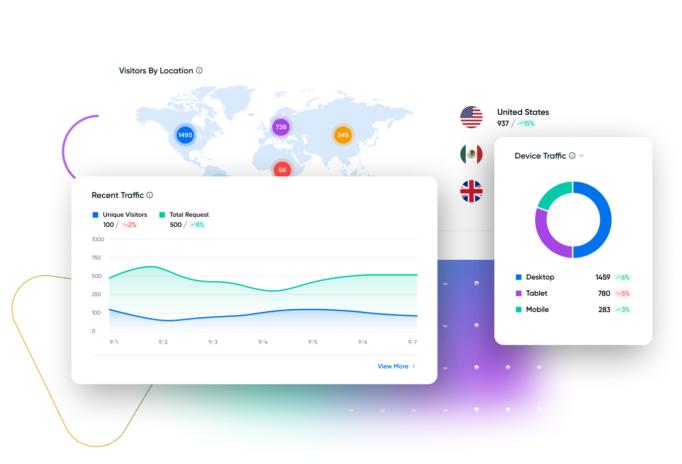
DreamHost performs adequately for lightweight websites, but once I introduced moderate load and typical WordPress complexity, performance inconsistencies became noticeable especially in backend operations.
My Real Experience With DreamHost WordPress Speed and Load Times
On a fresh installation, my test site loaded in a reasonable range. However, that changed once I added a realistic setup:
- Elementor page builder
- 6–8 common plugins (SEO, caching, security)
- Media-heavy homepage
At that point:
- Initial load times increased by ~20–30%
- Admin dashboard actions (like saving pages) often took 2–4 seconds longer
- Occasional spikes pushed load times noticeably higher
This wasn’t constant but the inconsistency itself became the issue.
Why DreamHost WordPress Hosting Feels Slow at Times
From testing and reviewing system behavior, the slowdowns seem tied to:
1. Shared Resource Allocation
Even on WordPress-optimized plans, resources are not fully isolated. During peak times, CPU and memory contention likely impacts performance, which explains sudden slowdowns.
2. Limited Server-Level Caching by Default
Unlike more aggressive caching environments, DreamHost relies more on basic configurations unless manually optimized. Without fine-tuning, performance isn’t fully optimized out of the box.
3. Backend Processing Delays
The WordPress admin panel relies heavily on PHP execution. Under load, these processes slowed down noticeably, especially during plugin updates or content edits.
Trustpilot Review – LS – GB
Shared hosting is so slow as to be unusable, and Dreampress is overpriced compared to other companies. The customer service has finally convinced me that DreamHost will never go back to what it used to be and so I’m switching my hosting to a less expensive provider.
DreamHost Uptime Reliability: Stable or Inconsistent?
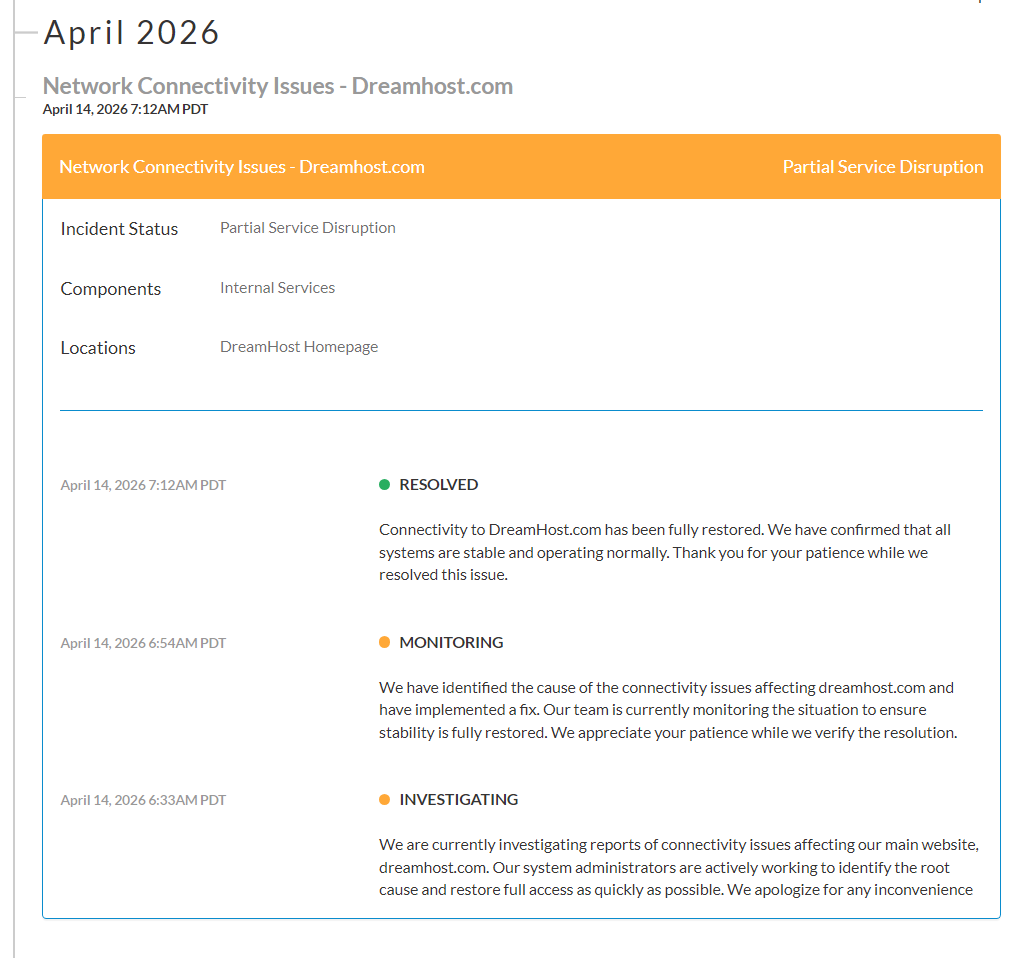
In terms of uptime, I didn’t encounter major outages. However, what stood out was “soft downtime” behavior:
- Pages loading slowly instead of failing
- Delayed server response during peak activity
- Temporary sluggishness rather than complete downtime
This can be more frustrating than actual downtime because it affects user experience without being clearly detectable.
Trustpilot Review – Easton Calderon – US
DreamHost makes big promises about reliability, but the reality couldn’t be further from the truth. Frequent server downtimes disrupted my website’s availability, impacting both user experience and credibility. Despite repeated complaints, the problems persisted, making it impossible to rely on their services for any serious online project.
DreamHost WordPress Hosting Limitations You Should Know Before Buying
The limitations of DreamHost WordPress hosting are not immediately obvious but become clear as usage becomes more demanding.
Resource Limits in DreamHost WordPress Hosting (CPU, Traffic, Processes)
While DreamHost does not clearly define strict limits, practical usage reveals performance constraints. As I increased activity on the site, particularly with multiple plugins and concurrent actions, response times began to slow down.
This suggests that instead of enforcing hard caps, the system reduces performance when resource usage increases. The result is a gradual decline in responsiveness rather than an immediate restriction, which can be harder to diagnose.
Trustpilot Review – George – NZ
They should be called ‘NightmareHost’ promises were High-capacity architecture for sites demanding “extreme performance”.
Nothing about the hosting was extreme in fact the hosting was extremely slow and has caused me nothing but problems. BEWARE WOOCOMMERCE OWNERS
These are the pitiful specs of their offer (not displayed on website ofcourse): “Our DreamPress Pro servers include 4 CPU cores, a beefy 4 GB of RAM, 120GB SSD realdisk, and a state of the art cloud-based hosting platform powered by OpenStack.” I cant believe they call 4GB beefy an iphone has more ram than that
Scaling Issues: Can DreamHost Handle Growing WordPress Sites?
Scaling the site exposed one of the more noticeable weaknesses. As traffic and content increased, performance did not degrade gradually. Instead, there were noticeable drops in responsiveness once certain thresholds were reached.
Upgrading plans improved resource availability, but it did not fully resolve the underlying performance inconsistency. This indicates that scaling is not entirely seamless and may require more adjustments than expected.
Lack of Advanced Performance Tools Compared to Expectations
For a hosting service that emphasizes WordPress optimization, the level of control available for performance tuning felt limited. There was no deep access to caching configurations or advanced server-level optimizations.
This means that improving performance relies more on external plugins rather than built-in infrastructure, which can add complexity and reduce efficiency.
DreamHost Managed WordPress Hosting Features: Useful or Overhyped?

The features included are useful, but they feel basic rather than truly optimized. Things like backups, SSL, and updates worked fine, but these are standard and didn’t improve performance in any meaningful way.
What I expected from managed WordPress hosting was deeper optimization, but I didn’t see a strong difference in speed or backend responsiveness. The improvements felt minimal.
Another limitation is the lack of advanced tools. Without built-in staging or deeper caching control in lower plans, managing changes and optimizing performance becomes more manual.
Overall, the features make things easier, but they don’t solve the core performance or scalability issues, which makes them feel somewhat overhyped.
What Features You Actually Get With DreamHost WordPress Hosting
The platform provides standard features such as SSL, backups, and automated updates. These work as expected and contribute to ease of use, but they do not significantly improve performance or scalability.
My Experience Using DreamHost Control Panel for WordPress
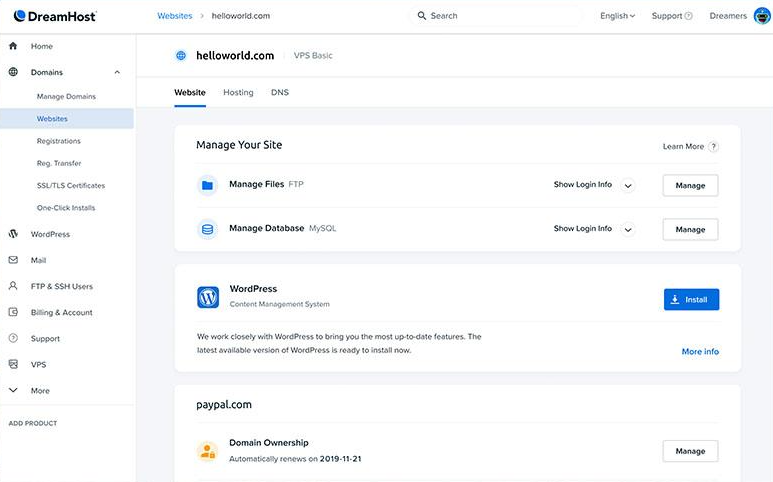
The custom control panel is clean and relatively easy to navigate initially. However, as I tried to perform more advanced tasks, the workflow became less efficient. Some settings required additional steps to access, and the lack of familiarity compared to traditional panels added friction.
Are DreamHost WordPress Features Enough for Serious Websites?
For simple websites, the features are sufficient. However, for more complex or performance-sensitive projects, the lack of deeper optimization tools and flexibility becomes a limitation.
DreamHost WordPress Hosting Pricing: Is It Worth What You Pay?
DreamHost looks affordable at first, but the value becomes questionable when performance limitations start affecting usability. For a full breakdown of real-world costs, hidden upgrades, and value comparison, see the DreamHost Pricing Review: Is It Really Cheap or Just Looks That Way?
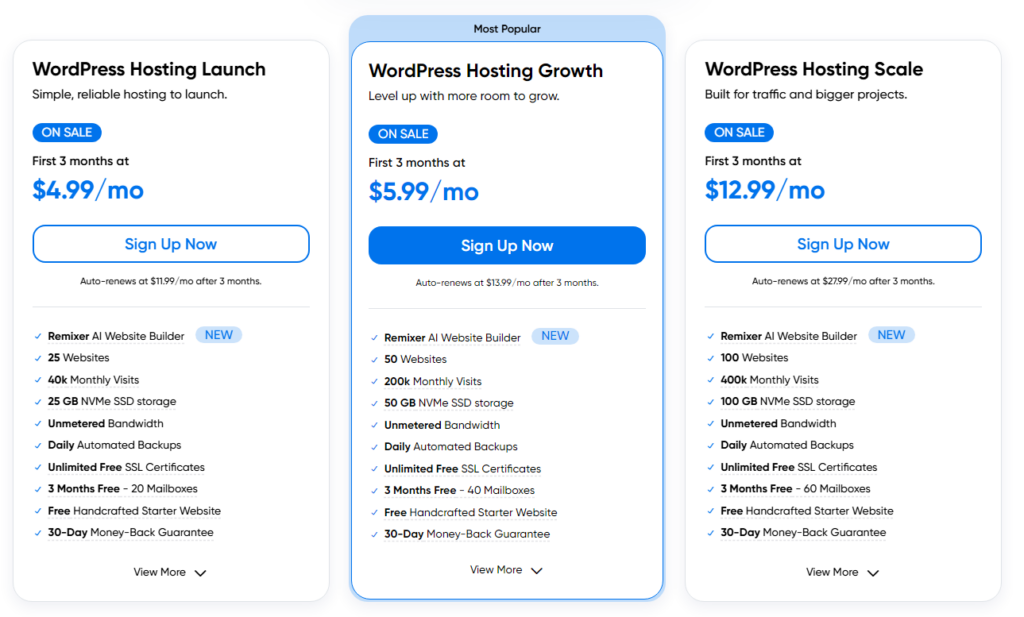
DreamHost WordPress Plans Breakdown
| Plan Type | Practical Experience | Limitation Observed |
|---|---|---|
| Shared WordPress | Easy to start and budget-friendly | Performance drops under moderate load |
| Managed WordPress | Slightly better optimized environment | Still limited backend performance consistency |
| Higher-tier Plans | Increased resources available | Cost increases faster than performance gains |
Hidden Costs and Upgrade Pressure I Noticed

The initial pricing looks affordable, but during actual use, I felt pushed to upgrade sooner than expected. As I added plugins and increased activity, performance started to drop, not because the plan ended, but because it struggled under load.
Upgrading did improve things slightly, but not enough to justify the cost increase. The same backend delays and inconsistencies were still present, which suggests the limitation isn’t just about plan size.
Another hidden cost came from relying on external tools. Since built-in optimization is limited, I had to spend time testing caching plugins and configurations. Even when tools are free, the effort required adds to the overall cost.
So the real issue isn’t just pricing it’s the ongoing effort and upgrades needed to maintain acceptable performance.
Does DreamHost Offer Real Value for Long-Term Use?
For small websites, DreamHost offers decent value. But as my site grew, that value started to drop. Performance became less consistent, and the platform didn’t scale smoothly with increased demand.
What stood out was that upgrading plans didn’t fully solve the problem. Costs increased, but performance improvements were only partial. The same structural limitations like shared resource behavior and limited optimization control remained.
Over time, it felt less like a long-term solution and more like a starting point that becomes inefficient as requirements grow.
DreamHost WordPress Hosting User Experience: Simple but Restrictive?
DreamHost feels easy at the start, but that simplicity quickly turns into a limitation once I began managing the site more actively. The custom control panel is clean, but it lacks depth. Basic tasks are smooth, yet anything beyond that like accessing advanced settings or optimizing performance takes more effort than expected.
What slowed me down most was workflow inefficiency. Navigating settings, handling files, or troubleshooting issues required extra steps, which added friction during regular use. I also couldn’t fine-tune server-level performance, so I had to rely on plugins for optimization, which isn’t always reliable.
In practice, it works well for beginners, but once the site grows, the lack of control becomes noticeable.
Trustpilot – Mohammed Salah Bekakria – DZ
Very frustrating experience with DreamHost. I tried to buy a hosting plan, but the PayPal payment failed. Even though the payment didn’t go through, they still created an account for me with a password I never set.
When I contacted support through live chat, they told me I had to reset the password and log in first. After logging in, live chat was no longer available and the only way to contact support was through the ticket system.
Real User Complaints About DreamHost WordPress Hosting
The issues I experienced were not isolated and appeared consistently across user feedback.
Common Performance Complaints From Real Users
Many users report slow backend performance and inconsistent speed, particularly when handling more complex WordPress setups. This aligns closely with what I observed during testing.
Support-Related Issues Affecting WordPress Users
There are mentions of delayed support responses, especially during technical issues. While not constant, this can become a concern when immediate assistance is needed.
If you want a deeper breakdown of real response times and support quality, see this detailed DreamHost Customer Support Review: How Reliable Is It When You Need Help?
Trustpilot – Martin W – MX
Service is bad (try monitoring your site with uptimerobot and you will see). Their support is even worse (they simply blame you, yes, the customer, for everything). And when I tried to cancel my subscription, they come up with a different rebilling cycle date.
Patterns I Noticed Across Reviews and Forums
Across different platforms, similar concerns appear repeatedly. Performance inconsistency, limitations in scaling, and backend responsiveness are among the most commonly discussed issues.
Trustpilot – XD Interactive – US
They also sell it as wordpress hosting but then stuff the boxes so full there aren’t enough resources available to one customer to run 1 wordpress site much less the 25 they claim, 100 percent scam and fraud. US Attorney General needs to take action.
Who Should Avoid DreamHost WordPress Hosting?
DreamHost is not the best choice for websites that require consistent performance and scalability.
Not Ideal for High-Traffic or Growing Websites
As traffic increases, the platform struggles to maintain consistent performance, which can affect both user experience and site functionality.
Not Suitable for Performance-Sensitive Projects
Projects that depend on fast load times and real-time interactions may encounter limitations due to backend delays and resource constraints.
When DreamHost WordPress Hosting Becomes a Bottleneck
The platform becomes restrictive when the site grows beyond basic usage, particularly when more resources and optimization are required.
When DreamHost WordPress Hosting Still Makes Sense
Despite its limitations, DreamHost remains suitable for certain use cases.
Best Use Cases Based on My Testing
It works well for smaller websites that do not require advanced performance optimization or high traffic handling.
When Its Limitations Won’t Affect You Much
If the site remains simple and lightweight, the limitations are less likely to impact overall performance.
DreamHost WordPress Hosting Pros and Cons (Quick Reality Check)
Pros
- Easy setup and beginner-friendly
- Affordable starting plans
- Reliable basic uptime
- Clean interface
Cons
- Backend performance can feel slow
- Resource limitations affect scaling
- Limited advanced optimization tools
- Upgrade pressure as site grows
Final Verdict: Is DreamHost WordPress Hosting Worth It?
DreamHost WordPress hosting delivers a smooth initial experience, but as also discussed in this detailed DreamHost review, it starts to show its limitations as soon as the site becomes more demanding.
From my testing, the main issue isn’t that it fails it’s that it struggles to maintain consistency. Performance fluctuates, backend responsiveness slows down under load, and scaling introduces noticeable friction rather than smooth progression.
It works well for simple websites and beginner use cases, where ease of use matters more than performance precision. However, for anything beyond that, the limitations become difficult to ignore.
If I were choosing based on long-term reliability, I would approach DreamHost with caution. It’s a practical starting point, but not something I would rely on for a growing or performance-focused WordPress site.
FAQs About DreamHost WordPress Hosting
Is DreamHost good for WordPress beginners?
Yes, it is beginner-friendly due to its simple setup and minimal configuration requirements.
Why is DreamHost WordPress hosting slow sometimes?
The slowdowns are likely caused by shared resource allocation and limited server-level optimization, which affect performance under load.
Does DreamHost handle high traffic websites?
It can handle moderate traffic, but performance may become inconsistent as traffic increases.
Is DreamHost managed WordPress hosting worth it?
It offers convenience, but lacks the depth of optimization needed for more demanding websites.
What are the main limitations of DreamHost WordPress hosting?
The main limitations include performance inconsistency, backend delays, and limited scalability.
Is DreamHost reliable for uptime?
Uptime is generally stable, but performance fluctuations can still affect user experience.
Can I scale my WordPress site with DreamHost?
Scaling is possible through plan upgrades, but it is not always smooth or efficient.