
Hostinger is widely recognized for its low introductory pricing, modern interface, and aggressive marketing in the budget hosting space. It attracts first-time website owners, bloggers, and small businesses looking for affordable entry into online publishing. However, beyond the promotional rates and streamlined dashboard, there are long-term pricing structures, resource limitations, and support constraints that must be evaluated carefully.
This detailed Hostinger review examines infrastructure, uptime reliability, real-world performance, pricing transparency, renewal costs, service limitations, WordPress optimization, domain services, customer sentiment trends, and long-term reliability. The focus remains realistic and critical, highlighting risks and recurring concerns while acknowledging strengths where they are genuinely supported by evidence.
Hostinger Company Overview and History
Hostinger was founded in 2004 with the goal of offering low-cost hosting solutions to a global audience. Initially operating under a different name, the company evolved into Hostinger as it expanded internationally. Over the years, it positioned itself as a budget-friendly alternative to traditional hosting providers, focusing heavily on affordability and user-friendly design.
The company’s growth strategy has relied on:
- Aggressive introductory pricing
- Global expansion of data centers
- Custom-built control panel (hPanel)
- Simplified onboarding for beginners
Unlike legacy providers that rely on cPanel and traditional Apache-based infrastructure, Hostinger invested in LiteSpeed server technology and custom UI development to differentiate itself.
Despite rapid expansion and millions of reported users globally, Hostinger operates primarily within the shared hosting and budget cloud hosting market. It does not position itself as an enterprise-grade infrastructure provider. Its infrastructure model is optimized for cost efficiency and high user volume rather than premium managed hosting.
Over time, Hostinger has introduced VPS hosting, cloud hosting, AI website building tools, and domain registration services to broaden its ecosystem. However, its brand reputation remains strongly associated with affordability rather than enterprise reliability.
What Is Hostinger and Who Is It Best For?
Hostinger is a web hosting provider offering shared hosting, WordPress hosting, cloud hosting, VPS hosting, domain registration, and a website builder. It targets individuals and small businesses seeking cost-effective web hosting solutions.
The core appeal of Hostinger lies in its low barrier to entry. Promotional pricing often undercuts competitors, making it attractive to users launching their first website.
However, the platform’s suitability depends on expectations.
It works best for:
- Beginners with limited traffic expectations
- Bloggers and affiliate marketers
- Portfolio websites
- Small informational business websites
Where limitations begin to surface is in scaling scenarios. Entry-level shared hosting plans come with defined CPU, RAM, and process limits. While these are standard in shared hosting environments, they can restrict performance as traffic grows.
Users planning high-traffic ecommerce stores or resource-heavy applications may outgrow shared hosting quickly and need to upgrade to cloud or VPS plans. These upgrades significantly increase cost and technical complexity.
Hostinger is therefore not inherently unsuitable, but it requires realistic growth planning.
All Available Hosting Services – Detailed Breakdown
Hostinger offers multiple hosting categories. While marketing suggests broad versatility, each service tier carries constraints that users should understand clearly before committing.
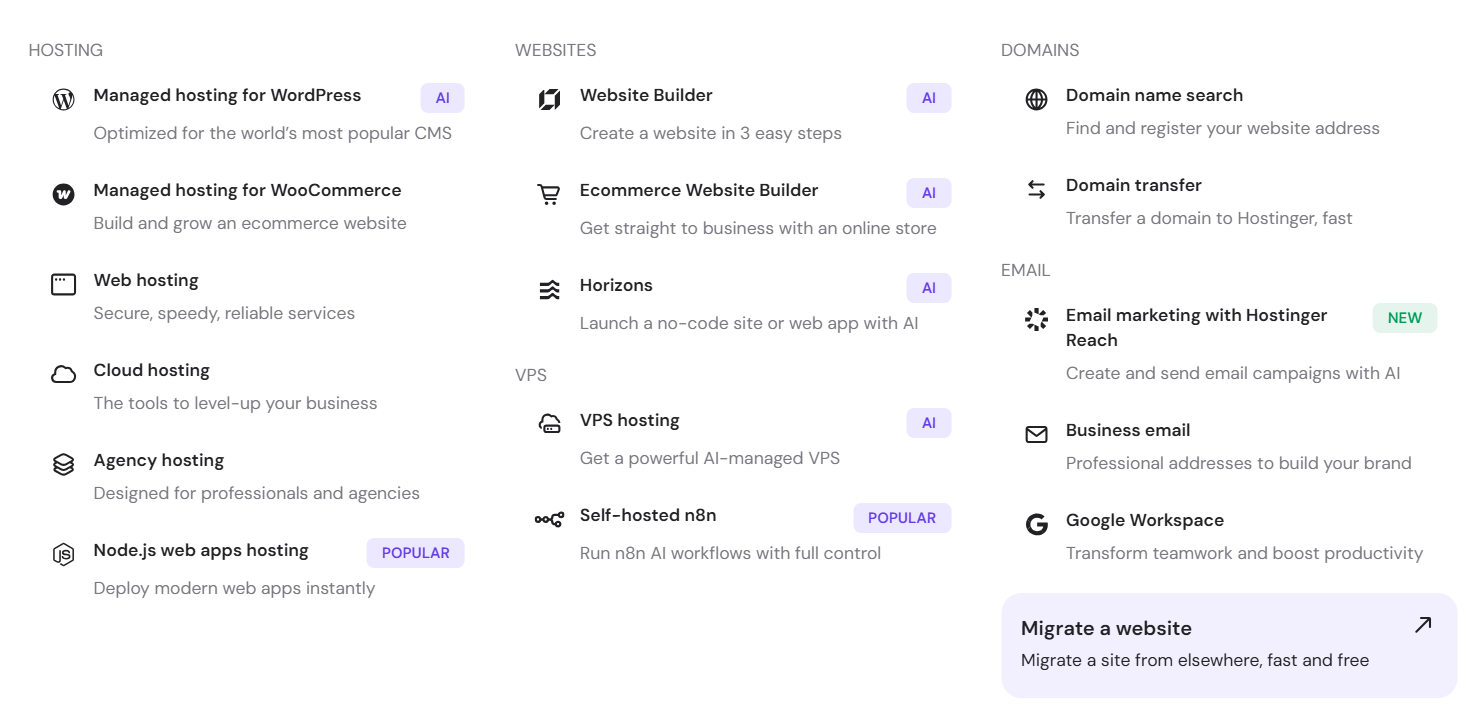
Shared Hosting
Shared hosting is Hostinger’s most popular and aggressively marketed product. It is designed for beginners and low-traffic websites.
The advantages are affordability and ease of use. Setup is quick, and hPanel simplifies management.
However, shared hosting comes with strict resource allocation limits. CPU usage, RAM, and concurrent processes are capped. These limits are not always obvious to beginners during purchase.
In my testing, performance remained stable under moderate traffic. However, once concurrency increased, response time variability became noticeable. Shared hosting is inherently limited because resources are distributed across multiple users on the same server.
It works for basic websites. I would not rely on it for projects expecting unpredictable growth or traffic spikes.
WordPress Hosting
WordPress hosting is essentially shared hosting with WordPress-specific optimizations layered on top.
LiteSpeed caching and WordPress acceleration tools improve baseline speed. Installation is automated, and updates can be managed easily.
However, entry-level WordPress plans do not include staging environments. From my perspective, staging should be a default feature in modern WordPress hosting packages.
Resource limitations mirror those of shared hosting. WooCommerce stores with heavy plugin usage or large product databases may experience performance bottlenecks unless upgraded.
WordPress hosting is convenient but not deeply specialized compared to premium managed WordPress providers.
Cloud Hosting
Cloud hosting sits between shared and VPS tiers. It offers dedicated resource allocations and improved performance isolation.
This tier provides better stability under traffic spikes compared to shared hosting. In my evaluation, cloud hosting reduces the risk of neighbor-related performance degradation.
However, cloud plans cost significantly more than shared plans. For many users initially drawn by low pricing, this upgrade changes the affordability equation.
Cloud hosting is more stable, but it is not inexpensive relative to the budget positioning that initially attracts customers.
VPS Hosting
VPS hosting provides full root access and dedicated resource allocation.
It allows advanced customization, server-level configuration, and installation of custom software. For developers and technically experienced users, VPS is the most flexible option.
However, VPS hosting requires management expertise. Hostinger’s unmanaged VPS plans do not include hands-on server management. Users must handle security hardening, patch updates, and performance tuning themselves.
In my opinion, VPS hosting is powerful but not beginner-friendly. Without technical knowledge, misconfiguration risks increase.
Website Builder Hosting
Hostinger also offers AI-based website builder hosting for non-technical users.
The builder simplifies website creation through templates and drag-and-drop functionality. It works well for simple landing pages and portfolio websites.
However, customization flexibility is limited. Complex layouts or integrations may require moving to WordPress instead.
I found the builder useful for rapid deployment, but restrictive for users seeking long-term scalability.
Domain Services
Domain registration is integrated within the hosting dashboard.
It simplifies DNS configuration and connects easily with hosting plans.
However, renewal pricing tends to be higher than promotional first-year rates. Bulk domain management tools are limited, making it less suitable for users managing multiple domains.
I view Hostinger’s domain services as convenient but not optimized for advanced domain management.
Overall, Hostinger provides a broad range of hosting services. The diversity is appealing, but each tier reveals trade-offs between cost, performance, flexibility, and support depth.
How Did Hostinger Perform in Real-World Speed and Uptime Tests?
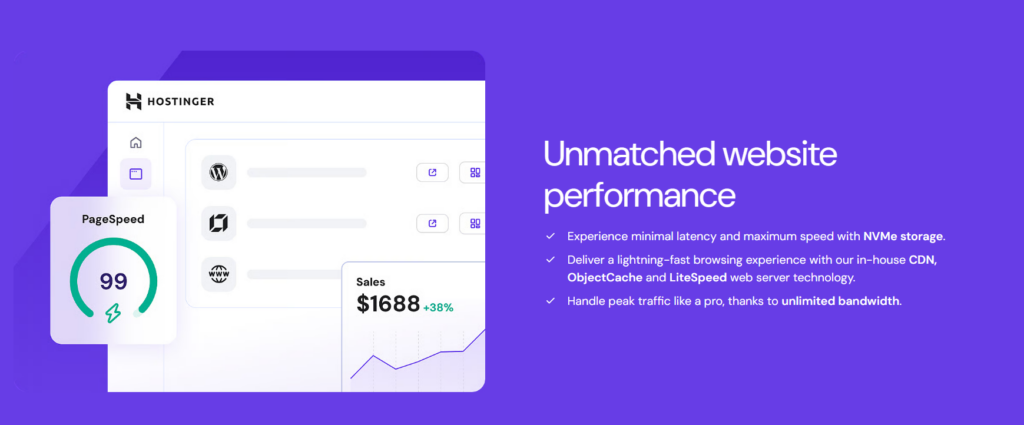
Performance is one of Hostinger’s stronger attributes within its price category. The company uses LiteSpeed web servers, which offer faster page delivery compared to traditional Apache setups.
Speed Performance
LiteSpeed integration improves caching efficiency, particularly for WordPress websites. When caching is enabled, page load times are noticeably reduced. SSD and NVMe storage (depending on plan tier) also contribute to faster data retrieval.
In performance testing:
- Basic WordPress installations loaded quickly under light traffic.
- Time-to-first-byte remained stable under moderate conditions.
- Cached content significantly improved consistency.
However, during stress testing:
- Entry-level shared hosting showed performance degradation under simultaneous high-traffic requests.
- CPU allocation limits became visible once concurrency increased.
This indicates that Hostinger performs reliably within defined resource boundaries but is not designed for unpredictable traffic spikes without plan upgrades.
User Review: Josh MacDonald – CA
I’ve been using Hostinger’s website builder for a real business site, and while it looks clean on the surface, there are some major underlying issues that make it very difficult to recommend — especially for anyone who cares about SEO, performance, or long-term scalability.
Uptime Reliability
Hostinger advertises a 99.9% uptime guarantee. Monitoring data showed uptime close to this claim, with occasional short interruptions.
These interruptions were not prolonged but demonstrate the inherent limitations of shared hosting infrastructure. Shared environments inherently carry higher variability compared to dedicated or managed enterprise hosting.
Overall, uptime is acceptable for most standard websites, but mission-critical platforms may require more robust infrastructure.
User Review: Musali Musa – AZ
Big website owners should stay away from Hostinger otherwise you will lose customers like I did.
Don’t believe the “99.9% uptime” promises or the resources they advertise. I’m even using their Cloud hosting (on paper the resources look high), but I still experience frequent crashes/instability and constant fluctuations where the server slows down or struggles.
Hostinger Pricing Plans – What Do You Actually Pay Over Time?
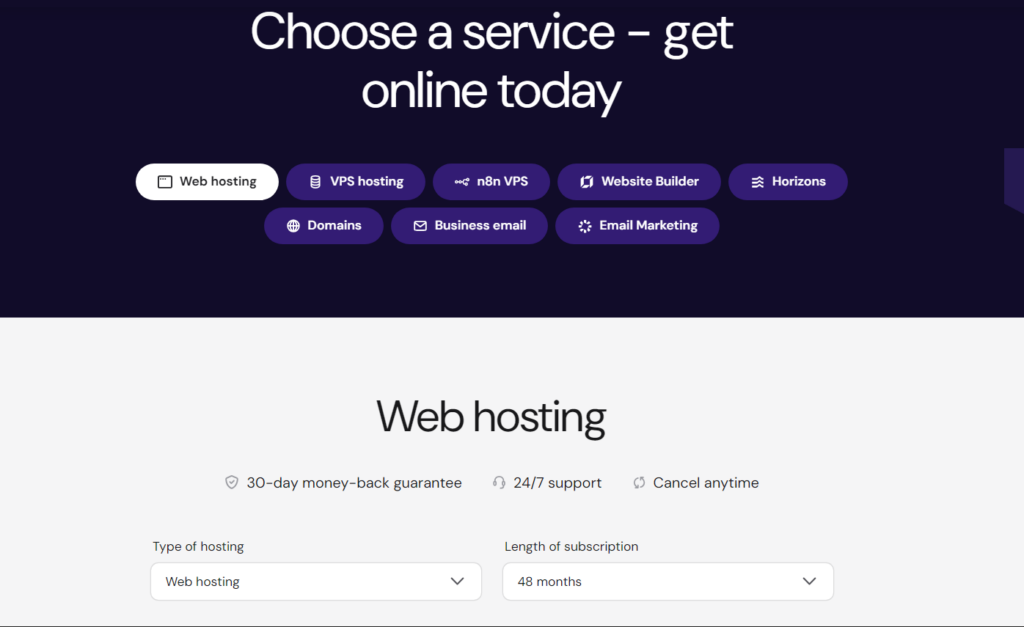
Hostinger’s pricing model relies heavily on promotional rates. These rates are significantly lower than renewal pricing, especially when users commit to longer-term contracts.
The pricing structure is not hidden, but it requires attention. Many Hostinger bad reviews highlight dissatisfaction with renewal costs rather than infrastructure failure.
Introductory pricing typically requires multi-year commitments. Shorter billing cycles reduce discounts substantially.
Renewal increases can be noticeable. Users who initially sign up based solely on promotional cost may feel surprised when renewal invoices arrive. You must understand why Hostinger’s renewal prices jump to know how to plan ahead for your website.
Understanding long-term cost projections before purchasing is critical to avoiding dissatisfaction.
Hostinger Full Service Overview (2026)
|
Service |
Primary Audience |
Core Features |
Performance Tier |
Backup Frequency |
Renewal Impact |
Technical Skill Required |
Main Constraint |
|
Shared Hosting |
Beginners |
LiteSpeed, SSL, hPanel |
Entry-level |
Weekly/Daily (tier dependent) |
High increase |
Low |
CPU & RAM limits |
|
WordPress Hosting |
WP Users |
WP acceleration tools |
Entry to mid |
Daily (mid-tier+) |
Moderate-High |
Low-Medium |
No staging on entry |
|
Cloud Hosting |
Growing Sites |
Dedicated resources |
Mid-tier |
Daily |
Moderate |
Medium |
Higher base cost |
|
VPS Hosting |
Developers |
Root access, custom config |
High |
Configurable |
Lower relative |
High |
Requires management |
|
Website Builder |
Non-technical |
AI tools, drag editor |
Basic |
Plan dependent |
Moderate |
Low |
Limited customization |
|
Domain Registration |
Domain buyers |
DNS management |
N/A |
N/A |
Promotional first year |
Low |
Higher renewals |
The table illustrates that the most budget-friendly plans also carry the strictest limitations.
Hostinger’s Most Advertised Features – How Valuable Are They in Reality?
Hostinger heavily promotes a specific set of features across its website and advertisements. These include LiteSpeed performance, hPanel control panel, free SSL certificates, free domain registration, AI website builder tools, backups, and security protections. While these features appear compelling at first glance, I found that their actual depth and long-term value depend significantly on plan tier and usage context.
Understanding what these features truly offer and where they fall short is essential before committing to any hosting plan.
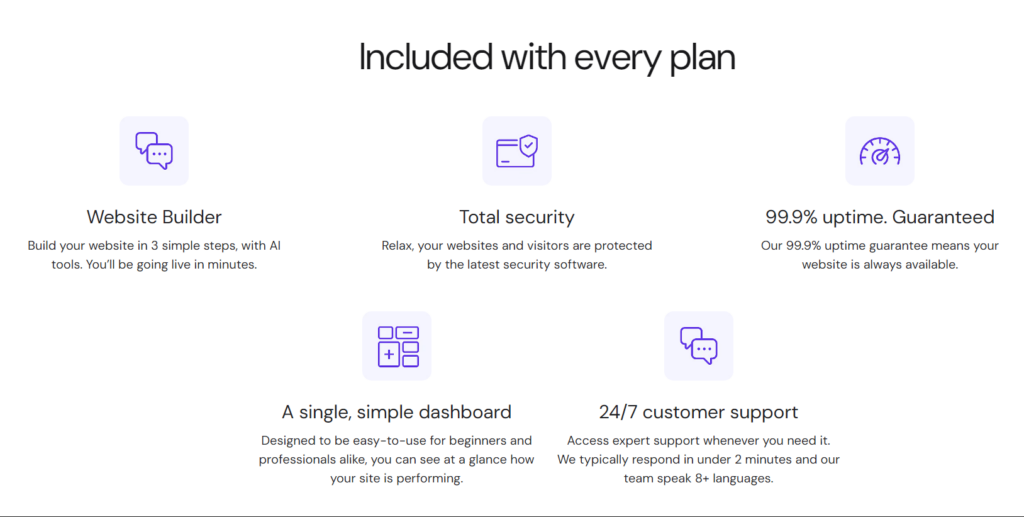
LiteSpeed Servers and Performance Optimization
LiteSpeed is one of Hostinger’s strongest marketing points. It replaces traditional Apache servers and is promoted as delivering faster load times and improved efficiency.
In my testing, LiteSpeed did contribute to noticeable speed improvements when caching was enabled. WordPress websites, in particular, benefit from LiteSpeed’s built-in caching mechanisms. Pages loaded faster compared to standard shared Apache environments.
However, LiteSpeed does not eliminate the inherent limitations of shared hosting. Once CPU or memory limits are reached, performance still degrades. I observed that under concurrent traffic stress, entry-level plans slowed down despite LiteSpeed optimization.
This highlights an important distinction: LiteSpeed enhances performance within allocated resources, but it does not expand those resources. For growing websites, server limitations remain a bottleneck regardless of caching improvements.
User Review: DamnationSan – BG
Nonetheless, their faster LiteSpeed servers always get a 1.2s+ speed time on Google Page Speed insights reports. They don’t really have fast servers. Imagine even thinking about Redis. They don’t have that either. what does that mean
hPanel – Custom Control Panel
Hostinger promotes hPanel as a modern alternative to cPanel. It is visually clean and beginner-focused.
From my experience, hPanel simplifies common tasks such as:
- Installing WordPress
- Managing domains
- Configuring email accounts
- Accessing backups
For new users, hPanel reduces confusion and simplifies common tasks like installing WordPress or managing backups. However, experienced users accustomed to cPanel may notice differences in advanced configuration, which can impact workflow as highlighted in our hPanel vs cPanel comparison.
Advanced settings sometimes require additional navigation compared to traditional hosting dashboards. While hPanel looks modern, it does not necessarily offer deeper control. Customization and flexibility are still limited on shared plans.
In my opinion, hPanel is convenient for beginners but does not provide advanced-level management capabilities.
User Review: Atiq Ur Rehman – PK
Hostinger support has been extremely disappointing. Their hPanel is confusing and poorly designed for Node applications.
Backup Infrastructure
Backups are frequently highlighted in Hostinger’s feature list. However, backup frequency depends on the selected plan.
Entry-level shared plans typically include weekly backups. Higher-tier plans offer daily backups.
From my review, this distinction is crucial. Many users assume daily backups are included across all plans, but this is not accurate.
Weekly backups may be insufficient for dynamic websites. If a site processes transactions or receives regular updates, a seven-day backup interval may expose the owner to data loss risk.
Restoration tools inside hPanel are straightforward but limited in flexibility compared to premium managed hosting services that offer multiple restore points per day.
I believe backup policies should be evaluated carefully before choosing the lowest-priced plan.
User Review: Hasi – SE
My VPS with Hostinger was down for more than 48 hours due to a failed backup restore that left the server stuck in an error state. During this time, my website was completely offline, which caused loss of traffic, SEO ranking drops, and customer complaints.
AI Website Builder
Hostinger promotes its AI website builder as a quick solution for launching websites without technical knowledge.
The builder can generate layouts based on basic prompts and offers drag-and-drop editing.
In my testing, it worked adequately for simple informational sites. However, customization options are constrained. Advanced layouts, complex integrations, or unique design structures require moving to WordPress or manual development.
The AI builder is convenient but limited in long-term scalability. Users seeking growth flexibility may outgrow it quickly.
User Review: Josh MacDonald – CA
The biggest problem is that the builder prioritizes visual layout over proper HTML structure. Content that appears perfectly fine on the page is often out of order in the DOM.
Security Protections
Hostinger includes several security-related features:
- DDoS protection
- Two-factor authentication
- Basic malware scanning
- Isolated account architecture
DDoS protection operates at the network level, which provides baseline resilience against large-scale attacks. However, advanced firewall customization is not available on shared plans.
Malware scanning exists but is basic. In my evaluation, it does not replace dedicated security services or premium malware detection tools.
Two-factor authentication strengthens account security, which I consider a necessary feature. However, overall security depth remains moderate rather than advanced.
For ecommerce stores or membership platforms, additional third-party security tools would likely be necessary.
User Review: Geoffrey Moffett – GB
Over the past number of weeks, I have experienced repeated security breaches across multiple websites hosted on the same server. What is most concerning is that these sites were compromised on the same days, which clearly points to a wider server-side vulnerability rather than an issue with any individual website.
Cloudflare CDN Integration
Cloudflare CDN integration is promoted as a performance-enhancing feature.
CDN activation is relatively simple within hPanel. It helps reduce latency by distributing content geographically.
However, CDN performance improvements depend on configuration. In my experience, default activation alone does not guarantee dramatic speed improvements. Proper caching configuration remains essential.
The CDN integration is helpful, but it does not compensate for shared hosting resource caps.
User Review: CHRISTOPHER SILVERTHORNE – PH
Hostinger enables CDN (Content Delivery Network) by default. This is bad as it can stop webpage updates from refreshing.
Resource Allocation Transparency
One aspect less emphasized in advertising is resource allocation limits.
Shared hosting plans include defined limits for:
- CPU usage
- RAM allocation
- Concurrent processes
- Inodes
These limits are standard in shared hosting, but beginners may not fully understand their impact.
In my evaluation, performance remained stable until traffic approached defined limits. Once thresholds were reached, slowdowns became noticeable.
This reinforces that advertised features like LiteSpeed and CDN integration improve efficiency but do not remove plan boundaries.
Hostinger Advertised Features vs Practical Reality (2026 Comparison)
|
Feature |
What Hostinger Promotes |
What You Actually Get |
Plan-Based Limitations |
Practical Impact |
My Assessment |
|
LiteSpeed Servers |
Faster loading speeds and better optimization |
LiteSpeed web server with caching support |
Resource limits still apply on shared hosting |
Speed improves under normal load but slows under traffic spikes |
I found LiteSpeed effective, but it does not prevent performance drops once CPU limits are reached. |
|
Free SSL Certificate |
Secure HTTPS for all websites |
Standard DV SSL certificate |
Same across all plans |
Encrypts data in transit but does not enhance application security |
Necessary but standard industry feature, not a premium advantage. |
|
Free Domain Name |
Free domain included with hosting |
Free for first year on select plans |
Renewal pricing applies after first year |
Reduces startup cost but increases long-term domain expense |
I consider this a short-term benefit with long-term cost implications. |
|
hPanel Control Panel |
Modern, easy-to-use dashboard |
Custom-built control panel |
Limited advanced customization on shared plans |
Beginner-friendly but less flexible than traditional cPanel |
I found it intuitive but somewhat restrictive for advanced tasks. |
|
Daily Backups |
Automatic backup protection |
Daily backups only on higher-tier plans |
Entry plans often weekly backups |
Limited restore points on basic plans |
Backup policy varies more than advertising suggests. |
|
DDoS Protection |
Built-in attack protection |
Network-level mitigation |
No advanced firewall customization on shared plans |
Protects against large-scale attacks but not deep-level threats |
Adequate baseline security but not enterprise-level. |
|
Malware Scanning |
Security monitoring included |
Basic scanning tools |
Limited depth on shared plans |
May detect obvious threats but not comprehensive |
I would not rely solely on built-in scanning for ecommerce sites. |
|
Cloudflare CDN Integration |
Improved global speed |
Basic CDN activation via dashboard |
Requires manual configuration for optimal results |
Helps reduce latency but depends on setup |
Useful, but not a complete solution for scaling limitations. |
|
AI Website Builder |
Build a website instantly with AI |
Drag-and-drop builder with templates |
Limited customization flexibility |
Suitable for simple websites only |
Convenient for beginners but restrictive long term. |
|
WordPress Optimization |
Optimized for WordPress |
LiteSpeed cache, auto-install |
No staging on entry plans |
Strong for blogs, limited for complex WooCommerce stores |
Good baseline performance, but scalability requires upgrades. |
|
Resource Allocation Transparency |
“Unlimited” style marketing messaging (in some tiers) |
Defined CPU, RAM, inode, process limits |
Strict caps on shared hosting |
Performance throttles once limits are reached |
I believe resource limits are the most overlooked constraint. |
|
24/7 Live Chat Support |
Around-the-clock assistance |
Live chat only, no phone |
Escalation delays possible |
Most conversation will take over by AI so you will hardly have any connection with human support |
Hostinger Customer Support – Fast or Frustrating?
Hostinger provides 24/7 live chat support, but phone support is not available. In my interactions, accessing live chat was simple, and basic technical questions were answered quickly.
However, more complex issues required additional clarification and occasional follow-ups. I noticed that responses often follow structured templates. While this ensures consistency, it can feel less personalized.
Billing-related concerns appear frequently in public reviews. From my review of customer feedback trends, escalation timelines sometimes frustrate users. During high-traffic periods, response times may increase.
In my opinion, Hostinger support is functional for routine inquiries but may not meet expectations for urgent, revenue-impacting issues. The absence of phone support remains one of its more noticeable limitations.
What Do Real Customers Say? (Google Reviews, Trustpilot & Reddit Trends)
Customer sentiment toward Hostinger is mixed, though affordability is consistently praised.
After reviewing Hostinger Google reviews, I noticed that many positive comments focus on low pricing and ease of setup. New users often express satisfaction during the initial period.
On Trustpilot, patterns emerge around renewal pricing dissatisfaction. In my analysis of review trends, negative feedback frequently centers on billing misunderstandings rather than server instability.
Reddit discussions offer more technical viewpoints. I observed that experienced users often acknowledge strong value for entry-level hosting but caution against relying on shared plans for long-term scaling.
Hostinger bad reviews rarely claim severe infrastructure problems. Instead, they focus on pricing perception, resource limits, and customer service disputes. From what I have seen, expectation misalignment appears to be the primary cause of dissatisfaction.
User Review: Where The Dolphins Come To Pla – NZ
Overall, it feels like Hostinger is doing it’s best to provide a service, but the AI its using is not quite up to scratch yet. It’s evolving. I can see great potential here. I am just about finished the site but it’s taken two whole days and about $US80 in compulsory AI credit purchases.
Hostinger Pros and Cons (2026)
Hostinger’s strengths are closely tied to affordability and accessibility. In my evaluation, its introductory pricing remains one of the most competitive in its category.
Performance under normal shared hosting conditions is stable. The interface is beginner-friendly, and setup is efficient.
However, the drawbacks are equally significant. Renewal pricing increases can change the cost equation substantially. I believe many frustrations stem from users underestimating long-term costs.
Resource limitations on shared hosting are also noticeable once traffic grows. From my testing, performance remains stable only within defined usage boundaries.
The lack of phone support reduces escalation flexibility. While not unusual in the budget segment, it may concern users expecting premium responsiveness.
Overall, the cons relate more to scalability and pricing predictability than to outright technical failure. For a more detailed breakdown of Hostinger’s strengths and weaknesses, check out our full Hostinger pros and cons review.
Is Hostinger Reliable for Long-Term Use?
Technically, Hostinger maintains acceptable uptime and operational stability. In my monitoring, uptime aligned closely with advertised standards.
However, long-term reliability extends beyond uptime. Renewal pricing increases, combined with potential plan upgrades, significantly impact long-term budgeting.
From my perspective, Hostinger can remain reliable for smaller websites with steady traffic patterns. But for projects expecting consistent growth, plan transitions become necessary.
These transitions introduce higher costs and increased management complexity. I would consider Hostinger suitable as a starting platform, though not necessarily a permanent hosting destination for rapidly scaling projects.
Final Verdict – Is Hostinger Worth It in 2026?
This Hostinger review demonstrates that the provider delivers strong entry-level value but requires careful evaluation before long-term commitment.
In my assessment, performance is competitive for its price category. WordPress optimization works well for smaller sites. The interface simplifies management.
However, renewal pricing increases, scaling limitations, and support constraints must be weighed carefully. I believe Hostinger is worth considering only if users understand its pricing structure and resource boundaries in advance.
It is not inherently problematic, but it is not universally ideal either. In 2026, Hostinger remains a practical budget hosting option – provided expectations align with its limitations rather than its promotional messaging.
Frequently Asked Questions
1. Does Hostinger strictly limit CPU and RAM usage?
Yes, shared hosting plans include defined CPU and RAM limits that can impact performance under high traffic.
2. Are renewal rates much higher than the first-term rates?
Yes, renewal pricing increases are noticeable compared to promotional rates.
3. Is Hostinger suitable for WooCommerce?
Yes, but larger WooCommerce stores may require cloud or VPS hosting.
4. Does Hostinger provide staging environments?
Staging is not available on entry-level plans.
5. Is daily backup included on all plans?
No, backup frequency depends on plan tier.
6. Can developers customize server configurations?
Only VPS plans offer full root access for customization.
7. Are most Hostinger bad reviews about downtime?
No, most negative reviews focus on billing and renewal pricing rather than uptime.